
How to Check a Suspicious Text Message Number

By Razib Mojumder
TL;DR
To check a suspicious text message number, start by conducting a reverse phone lookup using services like WhitePages or Truecaller, search the number online to see if others have reported it as spam, and verify any claims independently by contacting the supposed sender through official channels. Never click links or share personal information from unverified texts. Most importantly, trust your instincts—if a message feels off, it probably is, and taking five minutes to verify can save you from identity theft, financial loss, or malware infections.
Understanding Text Message Scams
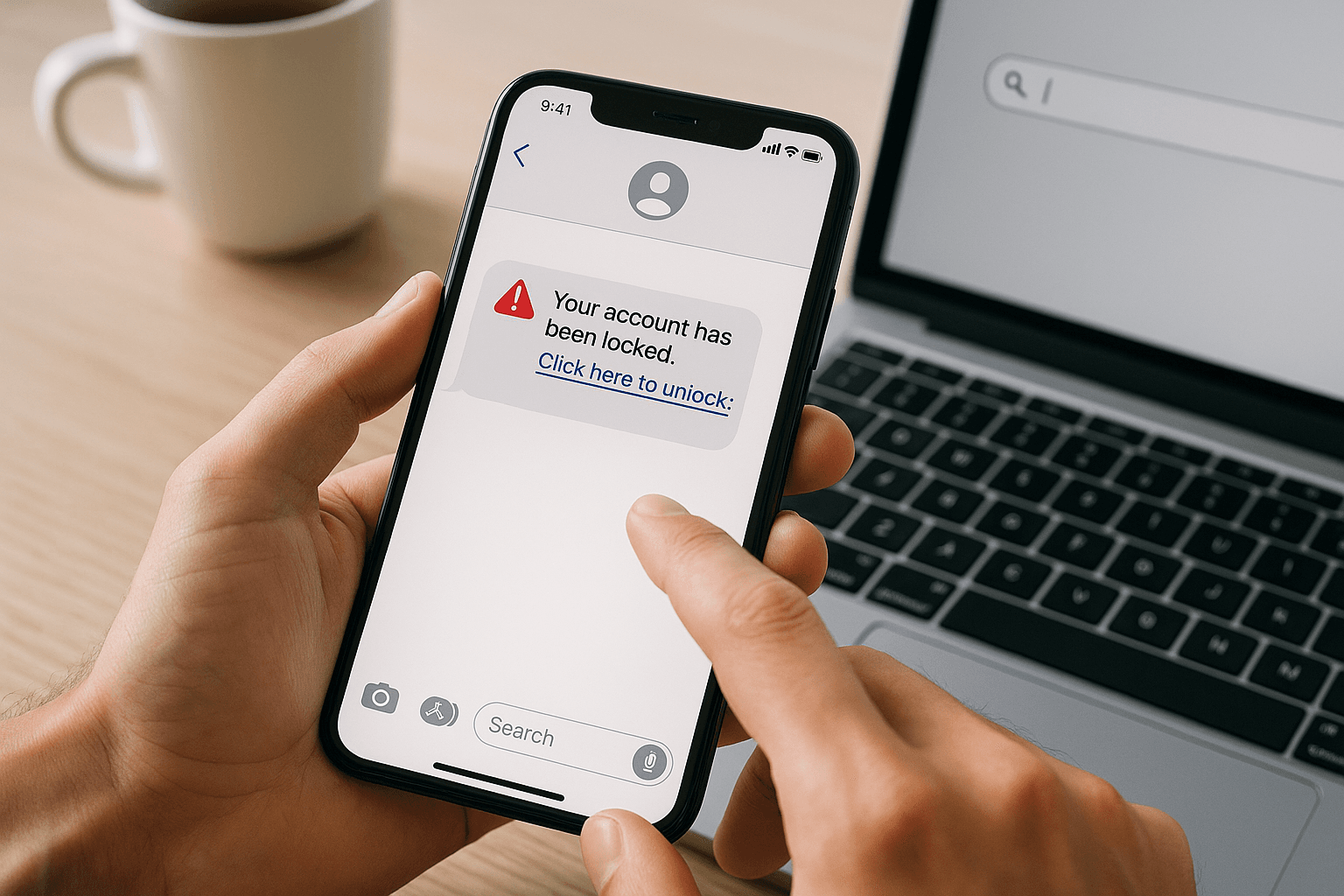
Text message scams, known as smishing (SMS phishing), have become increasingly sophisticated. Scammers impersonate banks, delivery services, government agencies, and even people you know to trick you into revealing sensitive information or clicking malicious links. These messages often create urgency, claim your account has been compromised, or promise unexpected refunds or prizes. The goal is always the same: bypass your rational thinking and prompt immediate action.
Before diving into verification methods, recognize common red flags. Legitimate organizations rarely request sensitive information via text, messages with spelling errors or awkward phrasing often indicate scams, and unexpected notifications about accounts you don’t have are obvious warnings. Generic greetings like “Dear Customer” instead of your name suggest mass distribution rather than personalized communication.
Use Reverse Phone Lookup Services
Your first line of defense is identifying who owns the number. Several reverse phone lookup services can help you determine whether a number belongs to a legitimate business or a known scammer. Free options include WhitePages, which provides basic carrier information and location data, and Truecaller, which crowdsources spam reports from millions of users worldwide. These services often flag numbers that multiple people have reported as suspicious.
Premium services like Spokeo or BeenVerified offer more detailed information, including the phone owner’s name, address history, and associated records. While these require payment, they can be worthwhile if you’re dealing with persistent harassment or potential fraud. Keep in mind that results vary based on whether the number is a mobile, landline, or VoIP service, with VoIP numbers being harder to trace since they’re easily obtained and disposed of by scammers.
Search the Number Online
Beyond specialized lookup services, a simple web search can reveal valuable information. Type the suspicious number into Google or another search engine, preferably in quotes to search for the exact sequence. You’ll often find the number listed on scam-reporting websites, discussion forums, or social media posts from other victims. Sites like 800notes and WhoCallsMe specialize in collecting user reports about suspicious numbers.
Pay attention to patterns in the reports. If dozens of people describe receiving identical messages about package deliveries or bank security alerts from the same number, you’re almost certainly dealing with a scam operation. However, absence of reports doesn’t guarantee legitimacy—scammers frequently rotate through new numbers to stay ahead of blocklists and reputation databases.
Verify Claims Through Official Channels
When a text claims to be from your bank, a delivery service, or another organization, never use contact information provided in the message itself. Instead, look up the official phone number or website independently. Call the organization directly using the number on your credit card, their official website, or previous legitimate correspondence. This extra step takes only a few minutes but prevents you from unwittingly contacting the scammers.
Most legitimate companies have specific procedures for customer verification. If your bank texts you about suspicious activity, they’ll have a record of that communication when you call. If a delivery service claims they need additional information, you can verify this by checking your order status through their official app or website. According to the FTC’s guidance, legitimate businesses understand customer caution and appreciate verification efforts rather than pressuring immediate action.
Analyze the Message Content
The message itself contains numerous clues about its legitimacy. Scammers often create urgency by claiming your account will be closed, you’ll miss a delivery, or legal action is imminent unless you respond immediately. This pressure is intentional—they want you to act before thinking critically. Legitimate organizations give you reasonable time frames and multiple ways to address issues.
Examine any links carefully without clicking them. Press and hold on a link to preview the URL destination. Legitimate businesses use domains that match their brand, like chase.com for Chase Bank or usps.com for the Postal Service. Scammers use similar-looking domains with slight misspellings (like arnaz0n.com instead of amazon.com) or completely unrelated URLs. URL shorteners like bit.ly or tinyurl are particularly suspicious in unsolicited messages because they hide the true destination.
Check for Personalization
Legitimate messages from companies you do business with typically include personal details like your name, partial account numbers, or references to recent transactions. Mass scam messages use generic greetings because the sender doesn’t actually know anything about you. They’re casting a wide net hoping a few people will have an Amazon order pending or a bank account that matches their fake alert.
Use Your Phone’s Built-In Tools
Modern smartphones include features designed to filter spam and protect you from suspicious messages. Both iPhone and Android devices allow you to report numbers as spam or junk, which helps carriers identify and block these numbers for other users. On iPhone, tap the number or contact name at the top of the message, then select “info” and “Report Junk.” Android users can long-press a message thread and select “Block & report spam.”
Enable carrier-level spam protection services. Major carriers like Verizon, AT&T, and T-Mobile offer free spam identification and blocking features, though you may need to activate them through your account settings or by downloading their dedicated apps. These services use sophisticated algorithms and databases of known scam numbers to filter messages before they reach your inbox.
Consider Third-Party Security Apps
Several mobile security applications specialize in identifying and blocking suspicious texts. Apps like RoboKiller, Nomorobo, and Hiya maintain constantly updated databases of scam numbers and use machine learning to identify new threats. These apps work in the background, automatically filtering suspicious messages to a separate folder or blocking them entirely.
While these apps offer robust protection, review their privacy policies carefully. Some collect data about your messages and contacts, which creates its own privacy concerns. Choose apps from reputable developers with transparent data practices, and read recent user reviews to ensure they remain effective and don’t create excessive false positives that block legitimate messages.
Report Suspicious Numbers to Authorities
Reporting scam messages helps protect others and enables authorities to track fraud patterns. Forward suspicious texts to 7726 (SPAM) on most major carriers—this service is free and alerts your carrier to the problem. The carrier may investigate the number and take action to prevent further abuse of their network.
For more serious threats, especially those involving impersonation of government agencies or financial fraud attempts, file a report with the Federal Trade Commission at ReportFraud.ftc.gov. The FBI’s Internet Crime Complaint Center also accepts reports of technology-facilitated crimes. While individual reports may not result in immediate action, aggregated data helps law enforcement identify large-scale operations and coordinate takedowns.
What to Do If You’ve Already Responded
If you’ve already replied to a suspicious text or clicked a link, don’t panic—but act quickly. First, do not provide any additional information regardless of follow-up messages. If you clicked a link, run a security scan on your device using your phone’s built-in security features or a reputable mobile antivirus app. Change passwords for any accounts that might be compromised, starting with email and banking, and enable two-factor authentication wherever possible.
Monitor your financial accounts closely for unauthorized transactions. If you shared banking information, credit card numbers, or social security data, contact your bank immediately and consider placing a fraud alert on your credit reports through one of the three major credit bureaus. According to consumer protection resources from the FTC, early detection and response significantly reduce the damage from identity theft.
Frequently Asked Questions
Can scammers tell if I’ve read their text message?
No, scammers cannot see read receipts from standard SMS messages like they might on messaging apps. Reading a text message itself is safe and doesn’t alert the sender. However, clicking any links in the message can notify the scammer that they’ve reached an active number, leading to more targeted attacks. Your safest approach is to read the message to assess it, but take no further action if it seems suspicious.
What happens if I text “STOP” to a spam number?
Replying “STOP” to a legitimate marketing text will remove you from their list, but responding to scam messages confirms your number is active and monitored. This often results in more spam, not less. If you don’t recognize the sender, simply block the number through your phone settings instead of replying. Only use “STOP” for messages from companies you’ve actually done business with.
Are area codes a reliable way to identify suspicious texts?
Not anymore. Scammers routinely spoof local area codes to make their messages appear more trustworthy—a tactic called neighbor spoofing. They know you’re more likely to respond to a number that looks like it’s from your community. Additionally, with number portability and VoIP services, area codes no longer reliably indicate geographic location. Focus on the message content and sender verification rather than the area code alone.
Can my phone get infected just by receiving a text message?
Receiving a text message itself won’t infect your phone, but clicking links or downloading attachments from suspicious texts can install malware. Modern smartphones have security measures that make infections difficult without user interaction, but vulnerabilities do occasionally exist. Keep your phone’s operating system updated, avoid clicking links in unsolicited messages, and don’t download apps from untrusted sources to minimize risk.
How do scammers get my phone number in the first place?
Your phone number can be obtained through data breaches, purchased from data brokers, harvested from public records or social media profiles, or generated through automated dialing of number sequences. Once your number appears in one database, it often gets sold and resold to multiple scam operations. This is why limiting where you share your phone number and using secondary numbers for non-essential accounts can reduce exposure.
Should I change my phone number if I keep getting scam texts?
Changing your number is usually unnecessary and inconvenient. Instead, aggressively block and report spam messages, enable carrier-level spam filtering, and consider using third-party blocking apps. Most scam campaigns move on to other numbers relatively quickly. Changing your number is a last resort for extreme cases of persistent harassment or if your number has been widely compromised in connection with your identity.
Is it safe to call back a suspicious number to confront them?
Never call back suspicious numbers. Some scams involve premium-rate numbers that charge exorbitant fees the moment you connect, while others use callbacks to confirm active numbers for future targeting. Confronting scammers achieves nothing productive and may expose you to additional risks. Instead, block the number, report it to your carrier and the FTC, and move on without engagement.
Editorial Standards & Fact Checking
At NumLocate, our telecommunications and privacy guides are independently researched, cross-referenced with official FCC guidelines and carrier numbering plans, and reviewed to ensure consumer safety and accuracy.

Written by Razib Mojumder
Telecommunications & Digital Privacy Specialist
Razib is the lead researcher at NumLocate, specializing in caller ID authentication protocols, STIR/SHAKEN anti-spoofing frameworks, and practical digital privacy tools for everyday consumers.
Related Articles
 How To
How to Fix Your Phone Number Being Marked as Spam
TL;DR If your phone number is marked as spam, you can fix it by requesting removal from major spam databases like the First Orion Scam Call Registry and registering with the National Do Not Call Registry, contacting your carrier to clear your number’s reputation, reducing your call volume and improving call patterns to avoid spam […]
 How To
How to Remove Your Phone Number From Google Search
TL;DR To remove your phone number from Google search results, start by deleting the source content where your number appears, then submit removal requests through Google’s Removals Tool for specific URLs. You can also contact website owners directly to remove your information, request de-indexing for sensitive personal data, and adjust privacy settings on social media […]
 How To
How to Report Scam Calls and Robocalls
TL;DR Report scam calls to the Federal Trade Commission through their online complaint form or by phone at 1-877-382-4357, and forward robocalls to 7726 (SPAM) to help your carrier identify and block fraudulent numbers. You should also report violations to the Federal Communications Commission, your state attorney general, and consider registering your number on the […]