
How to Track a Cell Phone Location Without Installing Any Software

By Razib Mojumder
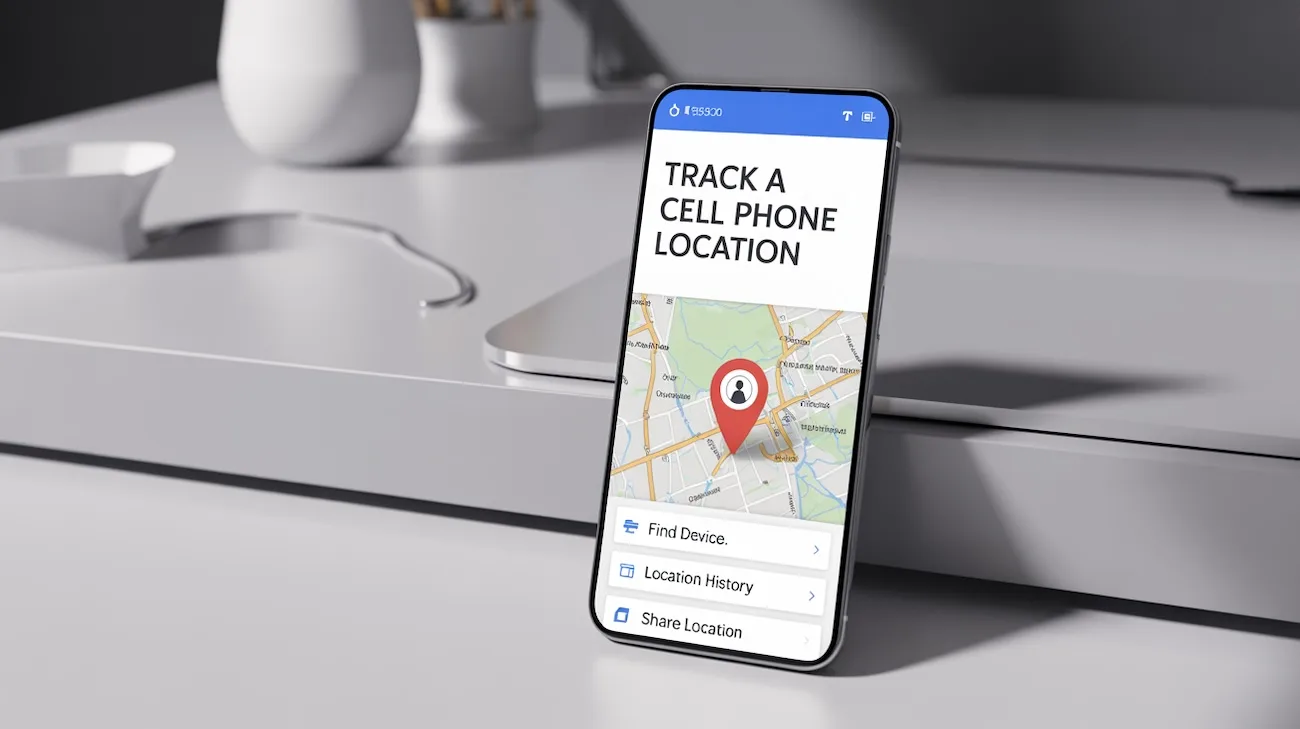
You need to locate a phone, but you can’t physically access it to install tracking software. Maybe you’re trying to find a lost device, verify someone’s location with their permission, or reunite a found phone with its owner. The good news? Modern smartphones come packed with built-in tracking capabilities that work right out of the box.
The reality is that most phones are already tracking themselves through manufacturer services, carrier networks, and cloud accounts. You just need to know how to access this information legally and ethically.
Understanding No-Installation Phone Tracking
Tracking a phone without installing software relies on existing systems already running on the device. Every smartphone constantly communicates with cell towers, GPS satellites, and internet services. These communication channels create a digital footprint you can access through legitimate means.
The key difference between traditional tracking apps and no-installation methods is simple: you’re using features that came pre-installed by the manufacturer or carrier, rather than adding third-party software.
Info: All tracking methods discussed here require either the phone owner’s consent or legal authorization. Unauthorized phone tracking is illegal in most jurisdictions and can result in serious criminal charges.
Method 1: Using Built-In Manufacturer Services
Find My iPhone for iOS Devices
Apple’s Find My system is automatically enabled on most iPhones with iOS 13 or later. Here’s how to access it:
- Visit icloud.com/find from any web browser
- Sign in with the Apple ID linked to the target device
- Click “All Devices” at the top of the screen
- Select the iPhone you want to locate
- View the current location on the map
The system shows you the phone’s location within 20-30 feet accuracy when GPS is active. If the phone is offline, it displays the last known location with a timestamp.
What you can do remotely:
- Play a sound (useful if the phone is nearby)
- Enable Lost Mode to lock the device
- Display a custom message on the lock screen
- View battery percentage
- See movement history (when the phone was at different locations)
Find My Device for Android
Google’s Find My Device works similarly but requires the phone to be signed into a Google account:
- Go to android.com/find on any browser
- Log in with the Google account used on the target phone
- Select the device from the list if multiple devices are registered
- View the location, battery level, and connection status
Android’s system updates location every few minutes when the phone is connected to the internet. The accuracy ranges from 15 feet indoors to 50 feet outdoors, depending on whether GPS, WiFi, or cellular triangulation is being used.
Pros:
- Already installed on devices—no setup needed
- Free to use with existing accounts
- Works across different devices (phone, tablet, laptop)
- Includes security features like remote lock and erase
- Legal and approved by manufacturers
Cons:
- Requires knowing the account credentials
- Phone must have battery power and internet connection
- Location services must be enabled (usually on by default)
- Can’t view historical location data beyond recent movements
Method 2: Carrier-Based Location Services
Mobile carriers track every phone on their network for network optimization and emergency services. You can access this data through official carrier programs.
AT&T Secure Family
AT&T offers location tracking for up to 10 devices on your account for $7.99/month. The service shows:
- Real-time location updates
- 30 days of location history
- Arrival and departure alerts for specific locations
- Drive monitoring (speed, routes, stops)
Access through the Secure Family app or website using your AT&T account credentials.
Verizon Smart Family
Verizon’s service costs $4.99/month for one line or $9.99/month for up to 20 lines. Features include:
- Current location with address information
- Check-ins when family members arrive at saved places
- Location history for the past 30 days
- Driving speed and route tracking
T-Mobile FamilyWhere
T-Mobile charges $9.99/month for up to 10 lines. The platform provides:
- Location updates every 5 minutes when active
- Schedule-based location checks
- Breadcrumb trail showing movement patterns
- Location alerts for specific areas
| Carrier Service | Monthly Cost | Devices Tracked | Historical Data |
|---|---|---|---|
| AT&T Secure Family | $7.99 | Up to 10 | 30 days |
| Verizon Smart Family | $9.99 | Up to 20 | 30 days |
| T-Mobile FamilyWhere | $9.99 | Up to 10 | Not specified |
| Sprint Safe & Found | $5.99 | Unlimited | 7 days |
Important requirement: You must be the primary account holder or have authorization from the account holder to use these services. Carriers verify your identity before enabling tracking.
Method 3: Phone Number Lookup Services
Specialized lookup services can provide location information based solely on a phone number. These services compile data from public records, carrier databases, and user-submitted information.
NumLocate offers phone number tracking without requiring software installation on the target device. The service works by:
- Enter the phone number you want to locate
- The system queries carrier databases and public records
- Receive location information including city, state, and approximate coordinates
- Access carrier details and line type (mobile, landline, VoIP)
This method works best when:
- You only have a phone number, not account access
- The phone owner has consented to being located
- You’re trying to identify the general area of an unknown caller
- Verifying someone’s claimed location
Info: Phone number lookup services provide general location data (city-level accuracy), not real-time GPS coordinates. For precise tracking, use manufacturer or carrier services instead.
Method 4: Google Maps Location Sharing
Google Maps includes a location-sharing feature that works without any app installation since Maps comes pre-installed on most Android phones and is commonly used on iPhones.
The person you want to track must initiate sharing:
- Open Google Maps on their phone
- Tap their profile icon
- Select “Location sharing”
- Choose “Share location”
- Select your contact and set duration (1 hour to “Until turned off”)
- Confirm the share
You’ll receive a notification and can view their real-time location through:
- Google Maps app on your phone
- maps.google.com on any browser
- The notification center (shows quick location updates)
The shared location updates every 30-60 seconds when both devices have internet connectivity. You can see:
- Current exact location with street address
- Battery level of the shared device
- Movement speed (walking, driving, stationary)
- Estimated time of arrival if they’re moving toward you
Method 5: Social Media Location Features
Most social platforms include location-sharing capabilities built into their core functionality. These require no additional apps beyond the social media apps already on most phones.
Snapchat Snap Map
If the phone user has Snapchat installed:
- Open Snapchat and pinch the camera screen
- View the Snap Map showing friends’ locations
- See real-time updates when friends have Ghost Mode disabled
- Check location history through status updates
Accuracy is typically within 50-100 feet when GPS is active.
Facebook Location Sharing
Facebook Messenger includes live location sharing:
- Open a conversation with the person
- Tap the “+” icon
- Select “Location”
- Choose “Share Live Location”
- Select duration (60 minutes max)
The recipient sees the location update every 1-2 minutes during the sharing period.
WhatsApp Live Location
WhatsApp’s feature works similarly:
- Open a chat
- Tap the attachment icon
- Select “Location”
- Choose “Share Live Location”
- Pick duration (15 minutes, 1 hour, or 8 hours)
Multiple people in the chat can share simultaneously, making it useful for coordinating meetups.
Method 6: Email-Based Tracking Links
This method uses tracking pixels embedded in emails to capture the recipient’s approximate location when they open the message. Services like MailTracker and Email Tracker provide this without requiring software on the target phone.
How it works:
- Compose an email through a tracking service
- The service embeds an invisible tracking pixel
- When the recipient opens the email on their phone
- The pixel loads and captures their IP address
- The service converts the IP to a geographic location
Accuracy limitations:
- Shows city-level location, not exact coordinates
- Reflects the location of the email server if using VPN
- Only works when the email is opened
- Some email clients block tracking pixels
This method is best for verifying someone’s general location rather than precise tracking.
Legal Considerations and Ethical Guidelines
Before tracking any phone, understand the legal framework:
When tracking is legal:
- You own the phone and are paying for the service
- You’re the parent/guardian of a minor child
- The phone user has given explicit written consent
- You have a court order authorizing the tracking
- You’re tracking your own lost or stolen device
When tracking is illegal:
- Monitoring a spouse or partner without consent
- Tracking an adult child without permission
- Following an employee outside work hours without disclosure
- Any tracking involving stalking or harassment
- Accessing someone’s accounts without authorization
Violating tracking laws can result in:
- Federal wiretapping charges (up to 5 years prison)
- State stalking or harassment charges
- Civil lawsuits for invasion of privacy
- Restraining orders
Always obtain clear consent in writing before tracking someone’s phone. The only exception is parents tracking minor children under 18.
Comparing Tracking Methods
| Method | Accuracy | Cost | Requirements | Best For |
|---|---|---|---|---|
| Find My iPhone | 20-30 feet | Free | Apple ID credentials | iOS devices you have account access to |
| Find My Device | 15-50 feet | Free | Google account credentials | Android devices with known Google account |
| Carrier Services | 50-100 feet | $5-10/month | Account holder authorization | Family members on same carrier plan |
| Phone Number Lookup | City-level | Varies | Valid phone number | Identifying general location, verifying callers |
| Google Maps Sharing | 10-20 feet | Free | User initiates sharing | Real-time coordination with consent |
| Social Media | 50-100 feet | Free | Existing friendship/connection | Casual location sharing among friends |
| Email Tracking | City-level | Free-$10/month | Email address | Verifying approximate location |
Troubleshooting Common Issues
“Location not available” error:
- Verify the phone has an active internet connection
- Check that location services are enabled in phone settings
- Ensure the phone has battery power
- Confirm the device hasn’t been in airplane mode
- Wait 5-10 minutes for the location to update
Inaccurate location showing:
- Indoor locations may show 100-500 feet of variance
- The phone might be using WiFi positioning instead of GPS
- Location data could be from the last time the phone was online
- Check the timestamp to confirm when the location was recorded
Can’t access account to track phone:
- Use account recovery options (email, phone number, security questions)
- Contact the service provider’s support team
- For carrier services, visit a retail store with ID
- Consider alternative tracking methods that don’t require account access
Phone keeps turning off location services:
- Some phones disable GPS to save battery
- Check power saving mode settings
- Ensure location permissions haven’t been revoked
- Verify that system updates haven’t reset privacy settings
Privacy and Security Best Practices
When using tracking methods, protect everyone’s privacy:
Secure your accounts:
- Use strong, unique passwords for all tracking services
- Enable two-factor authentication
- Don’t share account credentials
- Log out after checking locations on shared computers
- Review connected devices regularly and remove old ones
Be transparent:
- Inform people when you’re tracking their location
- Explain why you need location access
- Discuss and agree on tracking duration
- Respect requests to disable tracking
- Never use tracking for manipulation or control
Limit data retention:
- Delete location history you no longer need
- Disable continuous tracking when not necessary
- Use temporary sharing (1-8 hours) instead of indefinite tracking
- Review and clear saved locations monthly
Alternative Approaches When Tracking Isn’t Possible
Sometimes you legitimately need to locate someone but can’t use technical tracking methods. Consider these alternatives:
Emergency situations:
- Contact local law enforcement who can request carrier location data
- File a missing person report (police can track with legal authority)
- Use emergency contact networks and social media to spread awareness
- Check recent credit card or bank transactions for location clues
Non-emergency scenarios:
- Ask the person directly for their location
- Request they share their location temporarily through built-in features
- Use social plans and expected locations to narrow down possibilities
- Check recent social media posts for location tags or clues
Remember that communication often solves location questions faster than tracking technology. A simple text or call may be more effective and respectful than covert tracking.
Can I track a phone without the person knowing?
Legally, no. All legitimate tracking methods either require the phone owner’s explicit consent or must be disclosed (like parental monitoring of minors). While some services claim “invisible” tracking, using them without consent violates federal and state privacy laws. The built-in manufacturer services (Find My iPhone, Find My Device) require account credentials, which implies authorization. Even for phones on your family plan, you should inform adult users that tracking is enabled.
Do these methods work if the phone is turned off?
No tracking method can locate a phone that’s completely powered off. However, Find My iPhone has a “Find My network” feature on iPhone 11 and newer that can detect the phone using Bluetooth signals from nearby Apple devices, even when the iPhone is off. For Android and other methods, the phone must be on and connected to the internet. Most services will show the last known location before the phone was turned off, which can still be helpful.
Which method is most accurate for real-time tracking?
Google Maps location sharing provides the most accurate real-time tracking (10-20 feet) when both phones have strong GPS signals. Find My iPhone and Find My Device come in second (20-50 feet accuracy). Carrier services are slightly less accurate (50-100 feet) because they rely more on cell tower triangulation. Phone number lookup services like NumLocate only provide city-level accuracy and aren’t suitable for precise real-time tracking.
How long does location history stay available?
This varies by service. Carrier tracking services (AT&T, Verizon, T-Mobile) store 30 days of location history. Google Maps Timeline keeps location data indefinitely until you manually delete it. Find My iPhone and Find My Device don’t store extensive history—they show current location and recent movements from the past few hours. Social media location sharing is temporary and doesn’t create a searchable history unless the user posts locations publicly.
Can someone block their phone from being tracked?
Yes, phone users can disable tracking through several methods: turning off location services entirely, signing out of cloud accounts (Apple ID, Google account), enabling airplane mode, using a VPN to mask their IP address, or removing their SIM card. For carrier-based tracking, the account holder can disable the service. However, disabling Find My iPhone or Find My Device also removes theft protection features, so most people leave them enabled. Parents with parental control access can restrict children from disabling location services.
Tracking phones without installing software is entirely possible using the tools already built into modern devices. The key is knowing which method fits your specific situation—whether you need real-time precision, historical data, or just general location verification. Always prioritize legal compliance and ethical behavior, obtaining proper consent before tracking anyone’s location. When used responsibly, these methods help families stay connected, protect devices from theft, and provide peace of mind in emergency situations.
Editorial Standards & Fact Checking
At NumLocate, our telecommunications and privacy guides are independently researched, cross-referenced with official FCC guidelines and carrier numbering plans, and reviewed to ensure consumer safety and accuracy.

Written by Razib Mojumder
Telecommunications & Digital Privacy Specialist
Razib is the lead researcher at NumLocate, specializing in caller ID authentication protocols, STIR/SHAKEN anti-spoofing frameworks, and practical digital privacy tools for everyday consumers.
Related Articles
 How To
How to Fix Your Phone Number Being Marked as Spam
TL;DR If your phone number is marked as spam, you can fix it by requesting removal from major spam databases like the First Orion Scam Call Registry and registering with the National Do Not Call Registry, contacting your carrier to clear your number’s reputation, reducing your call volume and improving call patterns to avoid spam […]
 How To
How to Remove Your Phone Number From Google Search
TL;DR To remove your phone number from Google search results, start by deleting the source content where your number appears, then submit removal requests through Google’s Removals Tool for specific URLs. You can also contact website owners directly to remove your information, request de-indexing for sensitive personal data, and adjust privacy settings on social media […]
 How To
How to Report Scam Calls and Robocalls
TL;DR Report scam calls to the Federal Trade Commission through their online complaint form or by phone at 1-877-382-4357, and forward robocalls to 7726 (SPAM) to help your carrier identify and block fraudulent numbers. You should also report violations to the Federal Communications Commission, your state attorney general, and consider registering your number on the […]