
4 Best Ways to Track Phone Location Without Them Knowing (2026 Edition)

By Razib Mojumder
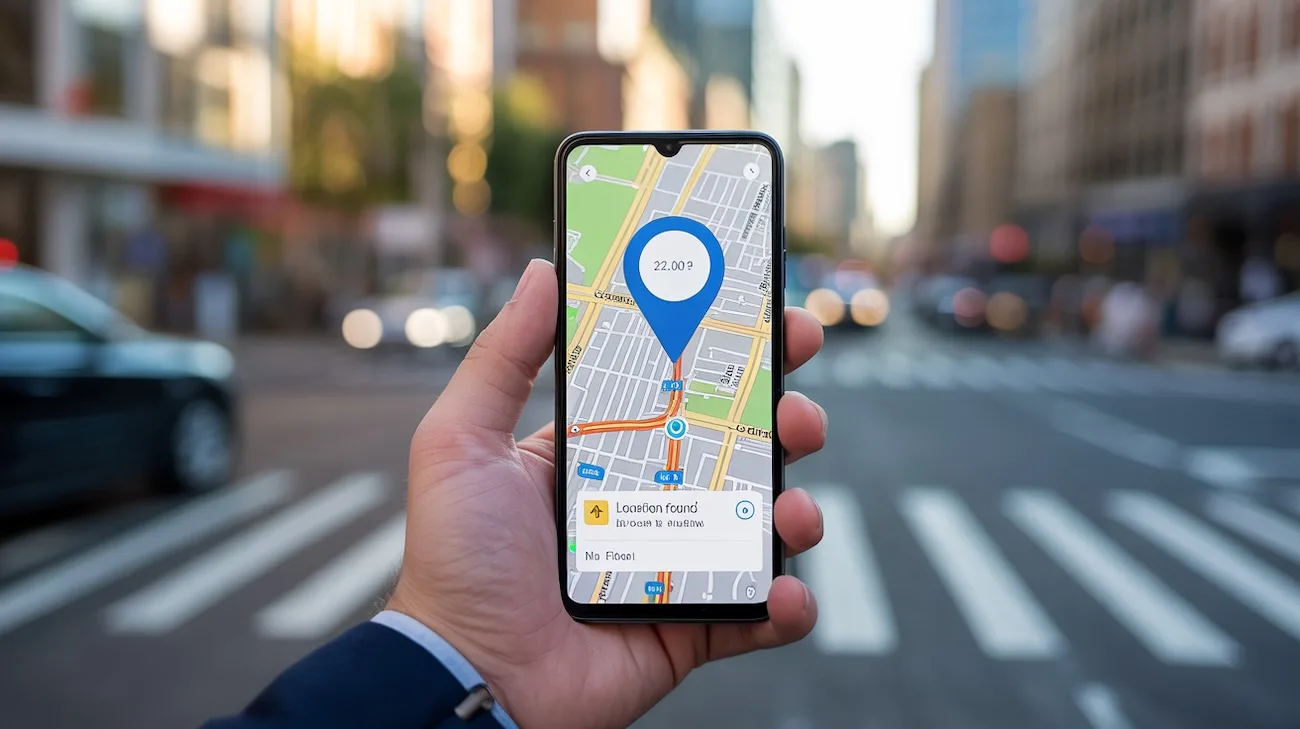
Sometimes you need to know where someone’s phone is located, but asking directly isn’t an option. Maybe you’re worried about a teenager who claims they’re at a friend’s house, or you suspect your elderly parent might be lost. Whatever your reason, tracking a phone without alerting the user has become easier than ever in 2026.
Before we get into the methods, here’s what you need to know: tracking someone’s location without their knowledge walks a legal tightrope. In most places, you need a valid reason (like being a parent monitoring a minor child) or explicit consent. Tracking an adult without their permission can land you in serious legal trouble.
Info: This article is for educational purposes and legitimate use cases like parental monitoring or locating lost devices. Always check your local laws before tracking anyone’s phone.
Method 1: Built-In Phone Tracking Features (The Free Option)
Both Apple and Google include location sharing features that most people forget they’ve enabled. If you set these up beforehand, you can track locations indefinitely without the person thinking twice about it.
Find My iPhone (iOS Devices)
Apple’s Find My network works even when the phone is offline, using Bluetooth signals from nearby Apple devices. Here’s how to set it up:
- Open Settings on the target iPhone
- Tap their name at the top, then “Find My”
- Enable “Find My iPhone” and “Find My network”
- Turn on “Send Last Location”
Once configured, you can track the phone from any browser at iCloud.com/find or through the Find My app on your own device. The person won’t receive any notification when you check their location, though they can see that Find My is enabled in their settings.
The beauty of this method? It’s completely free and uses Apple’s infrastructure, which means excellent accuracy (usually within 20-30 feet). The downside is that tech-savvy users might notice it’s enabled and turn it off.
Google Find My Device (Android Phones)
Google’s equivalent works similarly but requires the phone to be connected to a Google account:
- Go to Settings > Security > Find My Device
- Toggle the feature on
- Ensure location services are enabled
Access the location through android.com/find on any browser. Google’s system updates location every few minutes when the phone has an active internet connection.
Pros:
- Completely free with no subscriptions
- Built into the operating system (no suspicious apps to install)
- Works across devices you already own
- Highly accurate in urban areas
Cons:
- Requires initial physical access to the phone
- Can be disabled if the user checks their settings
- Location history is limited
- No geofencing or advanced alerts
Method 2: Carrier Family Locator Services
Major phone carriers offer family tracking services that operate at the network level, making them harder to detect than app-based solutions.
| Carrier | Service Name | Monthly Cost | Number of Lines | Key Features |
|---|---|---|---|---|
| Verizon | Verizon Family Locator | $9.99 | Up to 10 | 30-day history, geofencing, SOS alerts |
| AT&T | AT&T Secure Family | $7.99 | Up to 10 | Screen time controls, location alerts |
| T-Mobile | FamilyWhere | $10.00 | Up to 10 | 7-day history, multiple check-ins daily |
These services work through the cellular network itself, tracking the phone’s connection to cell towers. The target phone doesn’t need any special app installed on most carriers, though some features require downloading a companion app.
Here’s what makes carrier services sneaky: the tracking happens at the network level. Even if someone checks their installed apps, they won’t see anything obvious. The only tell is a small icon in the notification shade on Android devices (iOS doesn’t show anything).
Accuracy varies based on cell tower density. In cities, you’ll get locations within 50-100 feet. In rural areas, it might be off by a quarter mile or more.
Method 3: Phone Number Lookup Services
Specialized services like NumLocate can track phone locations using just the phone number. This method works differently from the others because you don’t need any prior access to the device.
How NumLocate Works
NumLocate uses a combination of public records, and location triangulation to pinpoint phones. Here’s the typical process:
- Visit the NumLocate website
- Enter the phone number
- Click the Find button
- Review the location results on the map
- Access additional details like carrier information and number type
The platform doesn’t require any software installation or access to the target iPhone. You’re working purely with the phone number as your data point.
Info: Phone number lookup services work best for one-time location checks rather than continuous monitoring. They’re ideal if you need to verify someone’s location occasionally without ongoing surveillance.
Method 4: Spy Apps (The Most Comprehensive Option)
Spy apps offer the most features but also carry the highest risk of detection. These applications run in stealth mode, providing location tracking plus extensive monitoring capabilities.
Top Spy Apps in 2026
mSpy remains the industry leader with over 1.5 million users. Installation takes about 10 minutes and requires physical access to the phone. Once installed, it becomes virtually invisible:
- No app icon appears
- Runs in background with minimal battery impact
- Updates location every 5 minutes
- Includes geofencing with instant alerts
- Stores 90 days of location history
Pricing starts at $48.99/month for basic features, with premium plans at $69.99/month including social media monitoring.
Eyezy starts at $47.99/month but drops to around $12/month annually, offering comprehensive social media monitoring across 30+ platforms and a keylogger that captures everything typed on the device. It’s particularly appealing for parents who want deep insight into messaging apps like Instagram, Snapchat, and WhatsApp, though iOS users get fewer features unless they jailbreak the device.
uMobix costs $49.99/month (or $12.49/month annually) and excels at real-time tracking with data updates every 5 minutes on Android. It’s best for parents who need quick, frequent updates on location and social media activity, though it works significantly better on Android than iOS and each subscription only covers one device, making it pricey for families with multiple kids.
Installation Tips
Regardless of which app you choose, follow these steps to minimize detection:
- Disable app notifications during installation
- Turn off automatic updates (they can reveal the hidden app)
- Set location updates to every 10-15 minutes instead of real-time (saves battery)
- Use the web dashboard instead of a monitoring app on your own phone
- Clear browser history after checking locations
Pros:
- Most comprehensive tracking with detailed history
- Geofencing alerts when they enter/leave areas
- Additional monitoring features (messages, calls, apps)
- Works even if they change SIM cards
- Detailed movement patterns and routes
Cons:
- Requires physical access for installation (except some iOS options)
- Monthly subscription costs add up
- Higher risk of legal issues if discovered
- May violate terms of service
- Can drain battery if not configured properly
Comparison: Which Method Should You Use?
| Method | Setup Difficulty | Monthly Cost | Detection Risk | Best For |
|---|---|---|---|---|
| Built-in Features | Easy | Free | Low | Ongoing family tracking |
| Carrier Services | Very Easy | $8-10 | Very Low | Parents with multiple kids |
| Number Lookup | None | $50 | Medium | Occasional verification |
| Spy Apps | Moderate | $40-150 | Medium | Detailed monitoring needs |
Your choice depends on your specific situation. Parents monitoring teenage children usually do best with carrier services or built-in features since they’re legitimate and low-cost. Number lookup services work for occasional checks when you just need to verify someone’s current location. Spy apps make sense only when you need comprehensive monitoring beyond just location.
Making Your Tracking Undetectable
Regardless of which method you choose, these practices help you avoid detection:
Check locations sparingly. The more you look, the higher the chance of slipping up. Set specific times to check rather than compulsively monitoring throughout the day.
Don’t mention specific locations. If you know they were at the mall yesterday, don’t bring it up. Acting on tracked information is the fastest way to reveal your surveillance.
Watch your own phone. If they pick up your phone and see location tracking apps or browser history showing iCloud.com/find, your cover is blown. Use private browsing and keep tracking dashboards password-protected.
Monitor battery usage. Some tracking methods drain battery faster. If their phone suddenly needs charging twice daily instead of once, they might investigate and find your tracking method.
Consider the relationship aftermath. Being caught tracking someone without permission usually destroys trust permanently. Make sure the information you’re seeking is worth the potential fallout.
Legal Considerations You Can’t Ignore
Tracking laws vary significantly by location, but here are the general rules:
Tracking your minor children (under 18): Legal in all 50 US states and most countries. Parents have broad authority to monitor their children.
Tracking your spouse: Murky legal territory. If you jointly own the phone or account, you’re usually in the clear. Tracking their personally-owned phone without consent can violate wiretapping laws in some states.
Tracking employees: Legal if they’re using company-owned phones and you’ve disclosed the monitoring in writing. Tracking personal phones requires explicit consent.
Tracking anyone else: Almost certainly illegal without their consent. Exceptions exist for certain legal guardianship situations.
In 2026, several states including California, Florida, and New York have strengthened privacy laws around location tracking. Unauthorized tracking can result in civil lawsuits and criminal charges including stalking or wiretapping.
Can someone tell if I’m tracking their iPhone?
Not through normal use, but they can check. If you’re using Find My iPhone, they can open Settings > [Their Name] > Find My and see that it’s enabled. However, they won’t receive notifications when you check their location. The status bar doesn’t show a tracking indicator unless an app is actively using location in the foreground.
Do phone tracking apps show up in the app list?
Legitimate tracking apps like Find My and carrier services appear in settings. Spy apps specifically designed for stealth monitoring typically hide themselves from the app drawer and don’t appear in the standard list of installed apps. However, they may still show up in battery usage statistics or data consumption reports if someone looks carefully.
How accurate is cell tower location tracking?
Cell tower triangulation accuracy ranges from 50 feet in dense urban areas with many towers to 2-3 miles in rural locations with sparse tower coverage. GPS tracking is much more accurate (15-30 feet) but requires the phone to have a clear view of the sky and uses more battery. WiFi-based location falls somewhere in between, with accuracy around 50-150 feet in areas with known WiFi networks.
Can I track a phone that’s turned off?
Not in real-time, but Find My iPhone on iOS 15 and newer can show the last known location for up to 24 hours after the phone dies or is turned off. This works through the Find My network using Bluetooth signals. Android phones only show the last location from when they were on and connected. Spy apps and carrier services can’t track powered-off phones at all.
Will tracking work if they change their SIM card?
It depends on the method. Built-in features like Find My iPhone work because they’re tied to the Apple ID, not the SIM card. Carrier services stop working immediately when the SIM changes. Spy apps installed on the phone itself continue working with a new SIM card. Number lookup services like NumLocate stop working since they track the specific phone number.
Advanced Tips for Specific Situations
If you’re tracking a teenager: Enable location sharing openly as a condition of having a phone. This removes the ethical gray area and lets you use built-in features without sneaking around. Most teens under 16 accept this as reasonable parenting in 2026.
If you need occasional checks only: Number lookup services make more sense than ongoing monitoring. The 48-hour trial from services like NumLocate lets you verify a location when suspicions arise without committing to monthly fees.
If they’re tech-savvy: Built-in carrier services offer the best detection avoidance since they operate at the network level. Tech-savvy users often check their installed apps and battery usage, where spy apps might appear.
If you need location history: Spy apps and some carrier services maintain detailed logs of past locations. Built-in features like Find My only show current or very recent location, not a trail of where someone has been over days or weeks.
Tracking someone’s phone location without their knowledge has become straightforward in 2026, but that doesn’t make it automatically right or legal. The technical capability exists, but your relationship, the law, and basic ethics should guide whether you actually use these methods. For legitimate purposes like parenting or locating lost devices, these tools serve valuable functions. For other situations, having an honest conversation might work better than secret surveillance.
Editorial Standards & Fact Checking
At NumLocate, our telecommunications and privacy guides are independently researched, cross-referenced with official FCC guidelines and carrier numbering plans, and reviewed to ensure consumer safety and accuracy.

Written by Razib Mojumder
Telecommunications & Digital Privacy Specialist
Razib is the lead researcher at NumLocate, specializing in caller ID authentication protocols, STIR/SHAKEN anti-spoofing frameworks, and practical digital privacy tools for everyday consumers.
Related Articles
 How To
How to Fix Your Phone Number Being Marked as Spam
TL;DR If your phone number is marked as spam, you can fix it by requesting removal from major spam databases like the First Orion Scam Call Registry and registering with the National Do Not Call Registry, contacting your carrier to clear your number’s reputation, reducing your call volume and improving call patterns to avoid spam […]
 How To
How to Remove Your Phone Number From Google Search
TL;DR To remove your phone number from Google search results, start by deleting the source content where your number appears, then submit removal requests through Google’s Removals Tool for specific URLs. You can also contact website owners directly to remove your information, request de-indexing for sensitive personal data, and adjust privacy settings on social media […]
 How To
How to Report Scam Calls and Robocalls
TL;DR Report scam calls to the Federal Trade Commission through their online complaint form or by phone at 1-877-382-4357, and forward robocalls to 7726 (SPAM) to help your carrier identify and block fraudulent numbers. You should also report violations to the Federal Communications Commission, your state attorney general, and consider registering your number on the […]